Black bars on the sides of your TV?
Easy fix, about one minute. You make the picture of the box a little bigger, so it fills your screen.
Use the remote that came with the box, not your TV remote. You change the picture of the box, not the settings of your TV.
Bars only on some old shows or videos? That’s normal: that video is narrower than your TV. Don’t change anything.
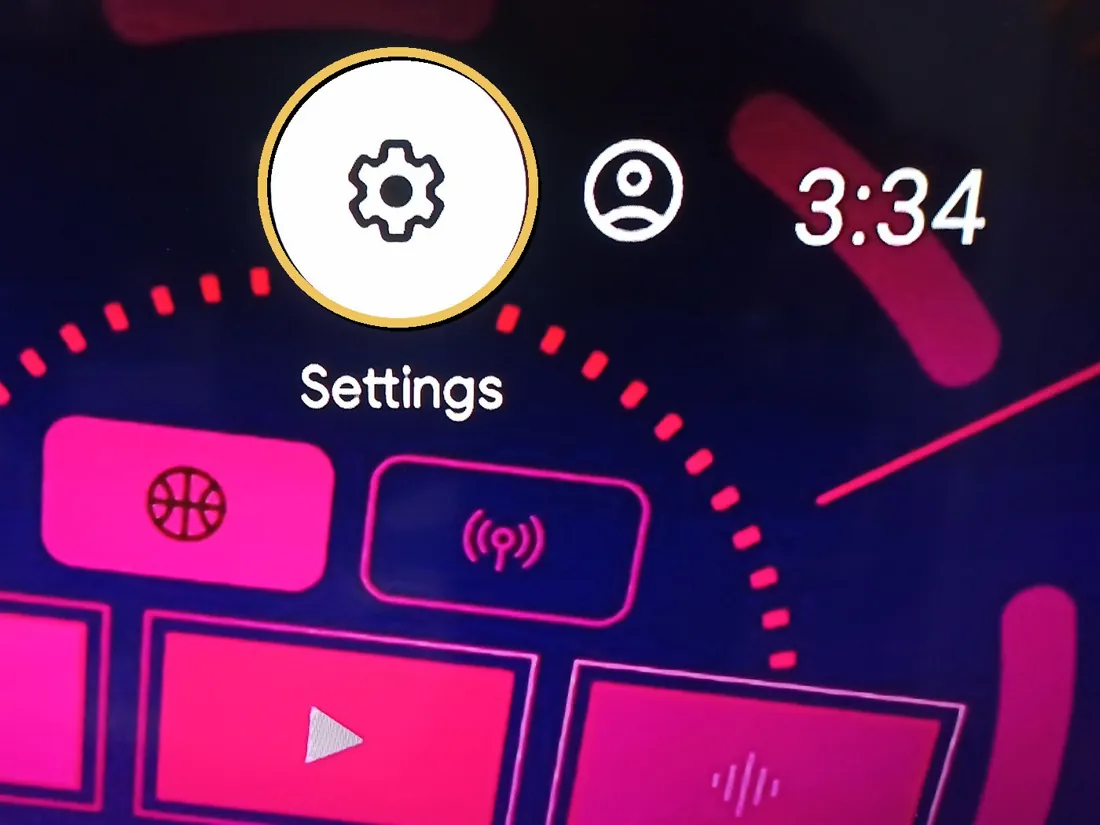
On the main screen, move up with the arrows to the gear ⚙ (Settings) at the top. Press OK.
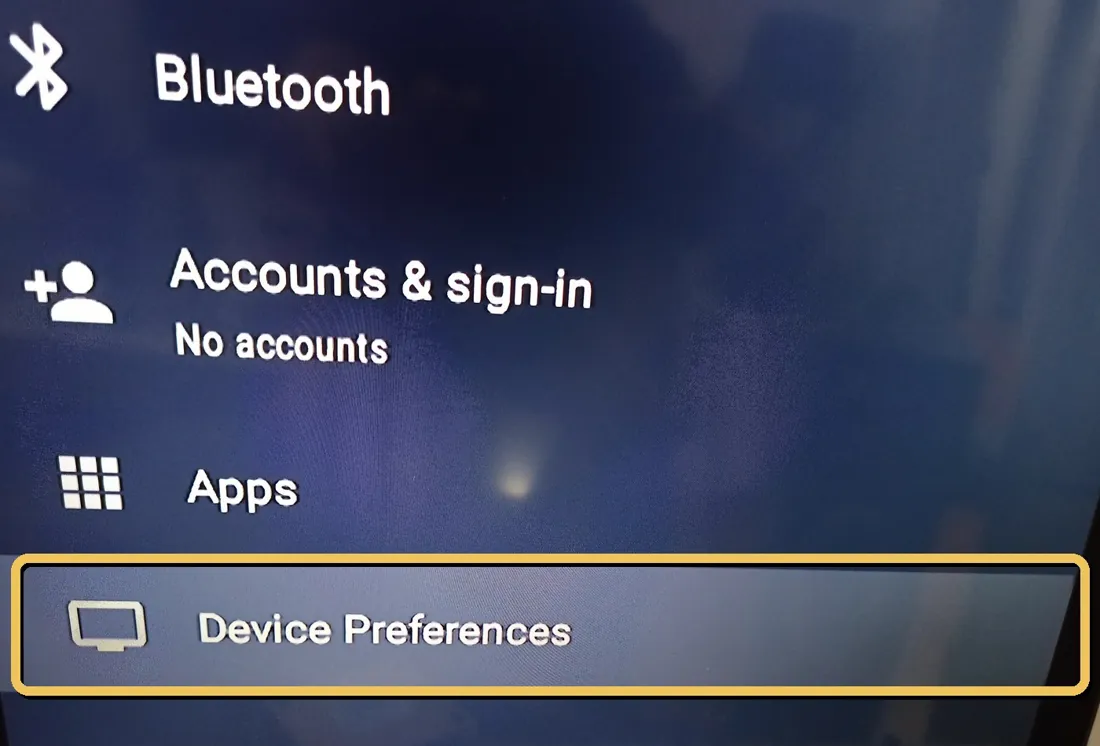
Move down to Device Preferences. Press OK.
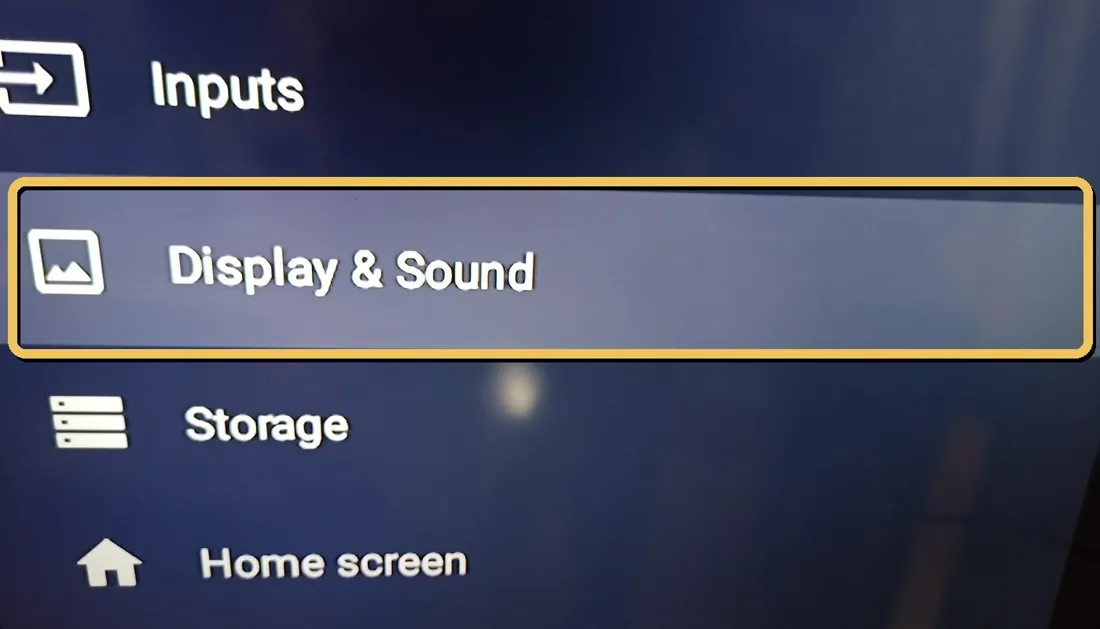
Move down to Display & Sound. Press OK.
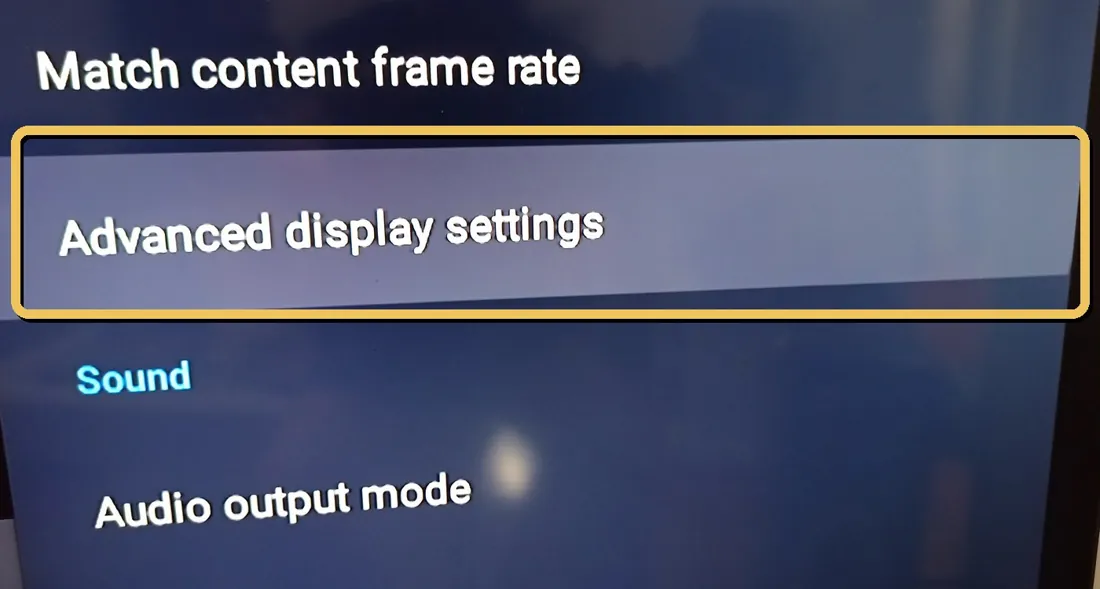
Move down to Advanced display settings. Press OK.
Choose the first “Screen percent”, right under HDMI setting. Press OK.
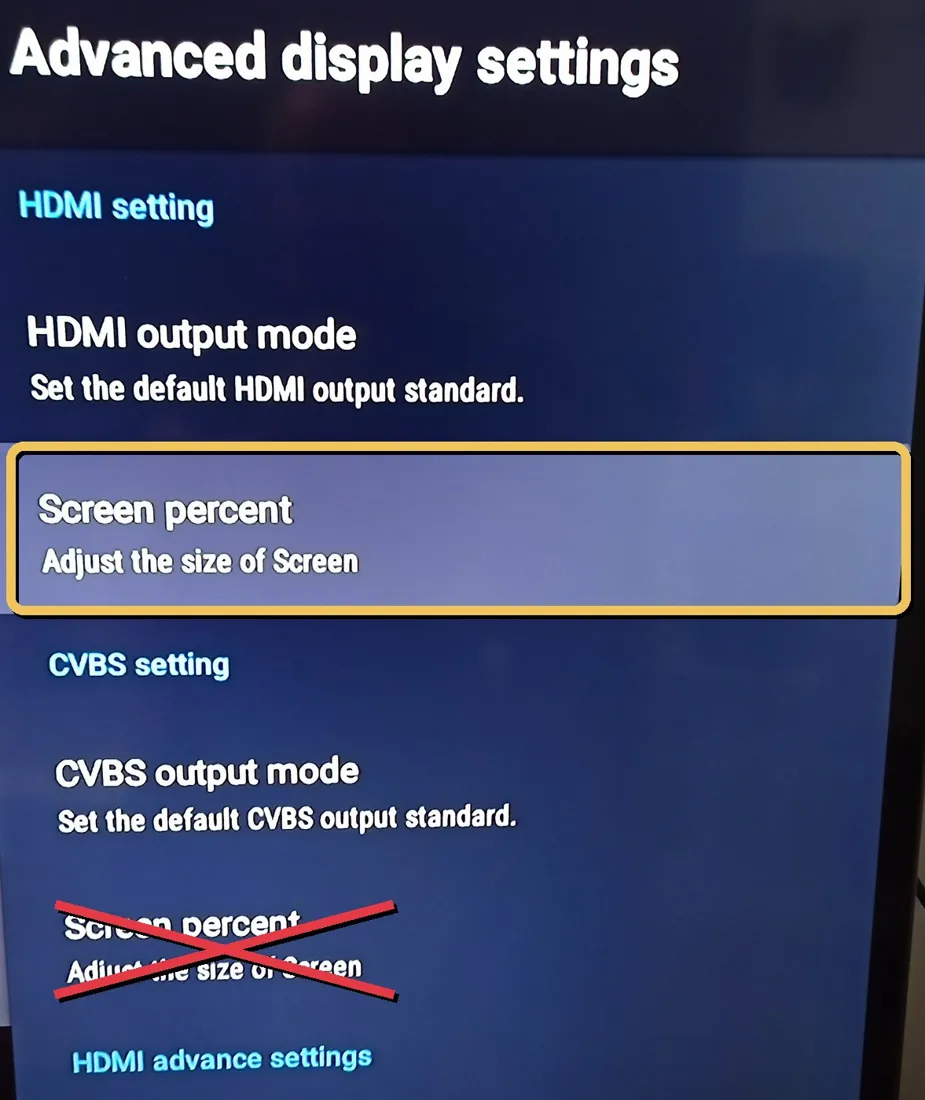
✗ Not the second “Screen percent” lower down (under CVBS setting): that one does nothing on your TV.
Now use the arrows and watch your TV:
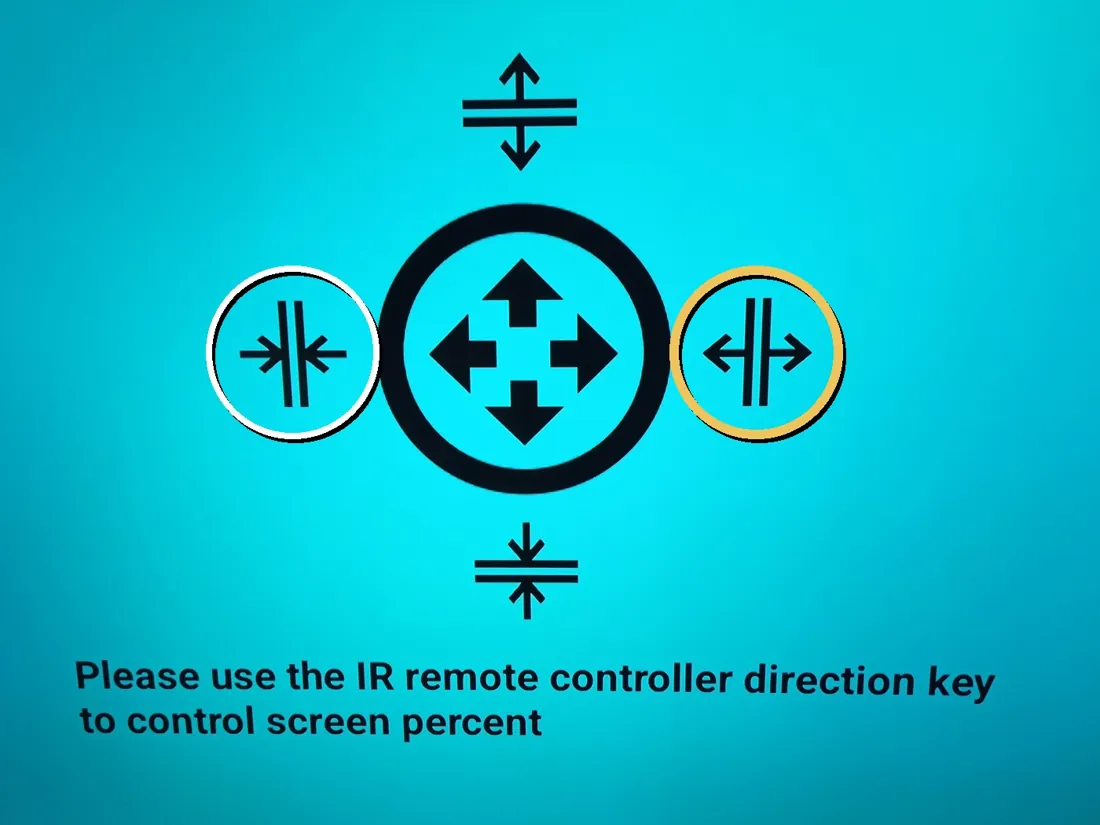
- ▶ makes the picture wider. Press it until the black bars are gone.
- ◀ makes it narrower, if you see the edges cut off.
- ▲ and ▼ change the height the same way.
✔ When it looks right, press ⌂ Home (the little house) to go back to the main screen, or press ↩ Back a few times. That’s it!
Still stuck? Call Randy · (607) 343-3537◀ Back to the setup guide